
Help Centre
<
HomeSynonyms will tell Salesfire which words to treat as equals if they have similar meanings and will also allow you to replace words with your own alternative phrasing. Synonyms are often used if you find your shoppers will search for a product using a variation of different terms, for example, ‘sofa’, ‘couch’ or ‘settee’.
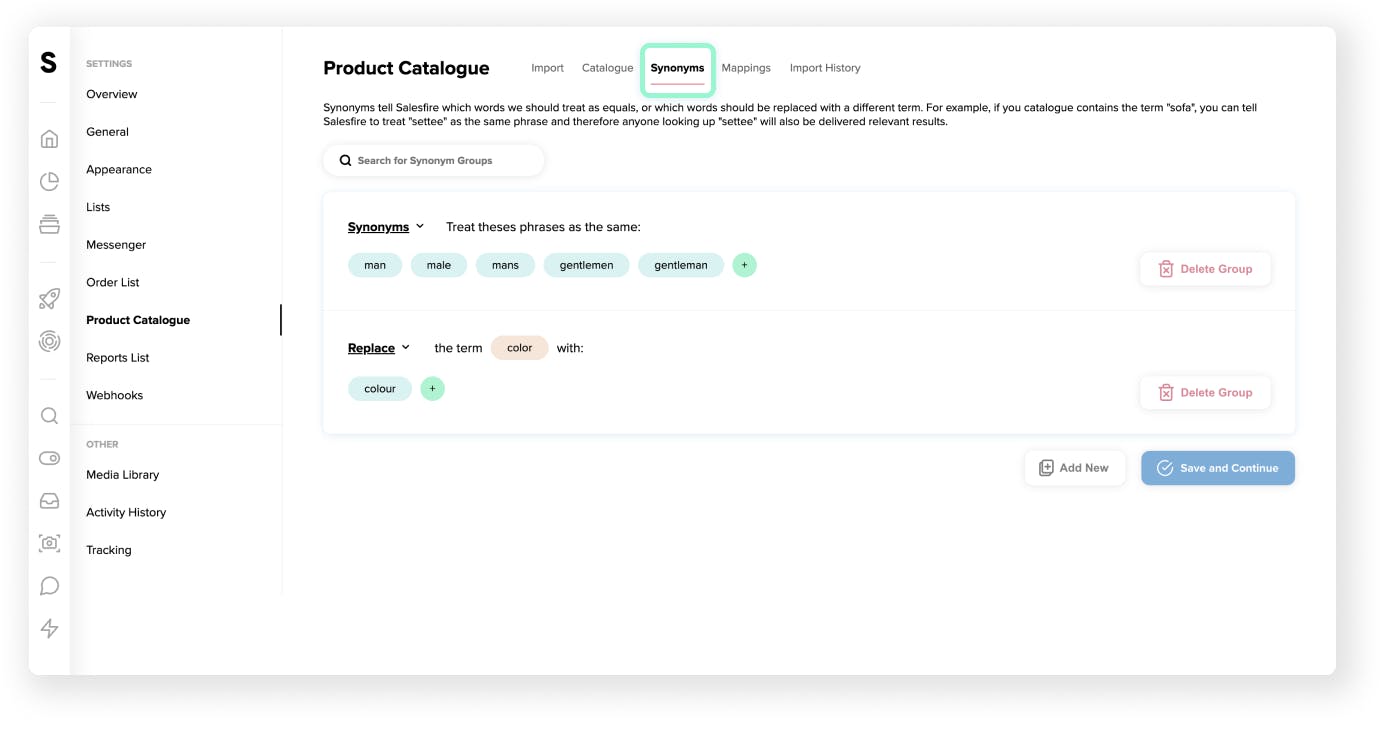
1. To customise your Synonyms settings, navigate to Settings.
- Select Product Catalogue. Within this section, you will find a subheading titled Synonyms. This is where you can start to add synonyms to your product catalogue.
- Upon clicking the Add New button, you will see the Synonyms section.
We recommend grouping all of the phrases that you would like to treat the same within one synonym group, creating a new item for each group of terms.
The Synonyms option allows terms that appear in a product title, description or categories to be weighted equally. This can result in queries grouped as synonyms to include results that match all of the terms used.
For example, a nail gun returns different results from 'nailgun' as it includes results that match both 'nail' and 'gun'.
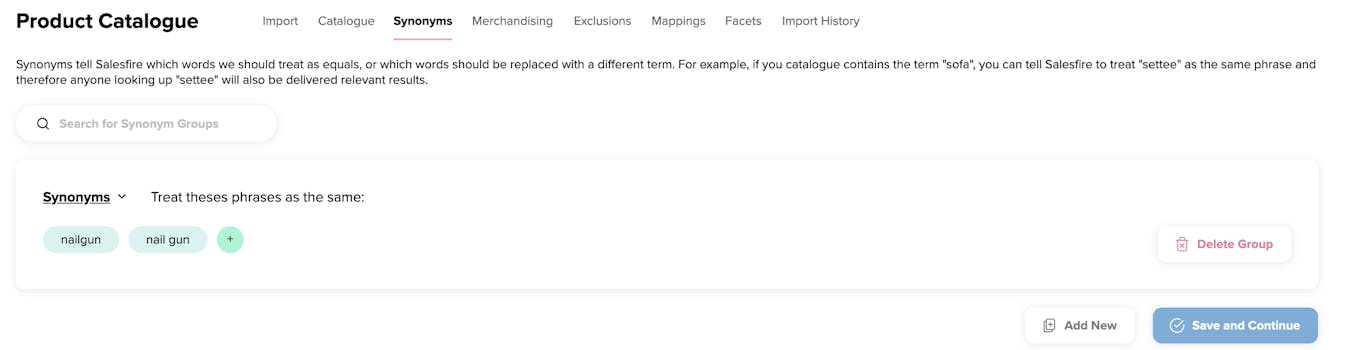
To utilise the Replace option click the dropdown menu next to Synonyms.
The Replace functionality is useful when you want to add an additional term to a product or replace a term with a different phrase.
This varies from the Synonyms functionality, which is better used when all of the terms, such as ‘trainers’ and ‘sneakers’, need to be replaced with the algorithm from your selected replaced phrase.
Replace works well if you use a particular keyword for your product but find your customers may be searching with a different phrase. For example, replacing ‘i-Pod’ with iPod.
This is commonly used if your analytics suggest customers use the alternative over the official product name.
Once you’re happy with the changes you’ve made, make sure to click Save and continue at the bottom of the page.